




You’ve built the site. It looks good. You’re ready to hit publish. Before you do, spend ten minutes running through this checklist. Most businesses skip it, launch with fixable problems baked in, and spend months wondering why Google isn’t sending them traffic.
What Good Looks Like Before Launch
We recently reviewed a website that was about to go live. The foundational SEO was actually solid, which put it ahead of most sites we see at this stage.
The title tag included who they are, what they do, and where they do it. That’s the formula. Most websites either go too vague (“Welcome to Our Company”) or stuff it with keywords. This one got it right.
The H1 matched the same structure: who, what, where. That consistency tells Google your page is focused. It’s a stronger signal than most business owners realize.
The city name appeared 44 times across the page. For local SEO, geographic repetition matters. Google is trying to determine where you serve. Help it.
What Needed Fixing
Even a well-built site can have a few things that work against it. Here’s what we flagged.
Buttons that take visitors away from the form. Every button on a local service business website should have one job: get the visitor to the contact form or the phone number. This site had buttons linking to their Google Business Profile, their official website (from their own website), and a random address on Google Maps. None of those actions serve the visitor. They create friction and bleed conversions.
If a button doesn’t move someone toward contacting you, cut it.
The embedded map was the wrong one. The site had a map embedded from a raw Google Maps address rather than the actual Google Business Profile location. This matters because the GBP map reinforces your verified business location to both visitors and Google. Always embed the GBP map, not a pin drop.
Service pages don’t exist yet. The site is launching as essentially a homepage-driven build. After launch, every individual service should have its own dedicated page. Not a section on the homepage. A full page with its own URL, title tag, H1, and content. This is how you rank for specific services rather than just your business name.
The Biggest Issue: GBP Location
Here’s where things get real. The website SEO is solid. The actual problem is the Google Business Profile address.
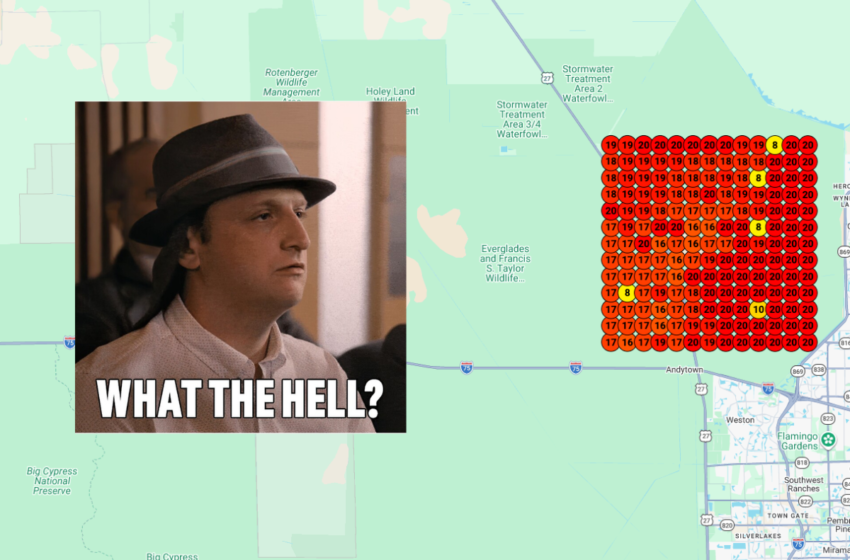
The GBP was listed as being in the Everglades. That’s not a metro area Google is going to surface for local searches. No matter how good the website is, a GBP anchored to a location outside any real service area will suppress local rankings significantly.
The fix is to go through Google’s video verification process to update the GBP address to a legitimate home or service address in the metro area they actually serve. Once that’s done, the rest of the SEO work on the site has something real to amplify.
This comes up more than you’d think, especially for home-based businesses, newer LLCs, or businesses that registered with a rural or P.O. Box address. Google needs a real, verifiable location in or near your service area to rank you competitively in that market.
Pre-Launch Checklist
Before any local business site goes live, run through these:
Title tag includes who, what, and where. H1 mirrors that structure. City name appears naturally throughout the page at least 20-30 times. Every button leads to the contact form or phone number. The embedded map pulls from the GBP listing, not a raw address. A service page plan exists for post-launch. The GBP address is in a real, searchable metro area.
That last one isn’t a website fix. It’s a business listing fix. But it might be the most important item on the list.
If you’re about to launch and want a set of eyes on your site before it goes live, we do free pre-launch local SEO reviews for Orlando and Central Florida businesses. Reach out to DropShadow Agency before you hit publish.
DropShadow Agency is a marketing agency based in Orlando, FL helping local businesses get found online.