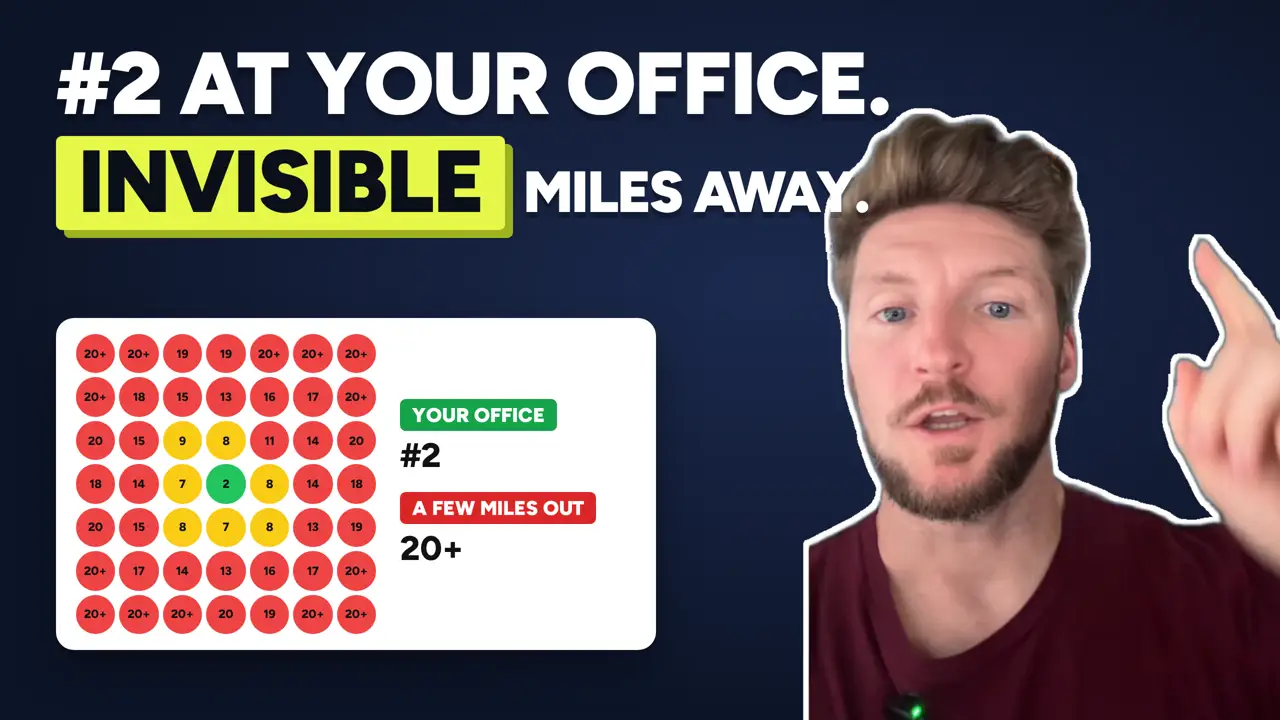
You could be ranking number two on Google Maps while you’re standing in your office, and then be completely invisible just a couple of miles away.
I see this all the time when I run local rank maps for businesses.
The owner searches for their service from their desk, sees their business near the top, and assumes they’re doing fine. Meanwhile, most of the customers in their service area are searching from somewhere else and never see them.
Here’s why that happens and how to find out where you really rank.
Why Your Ranking Changes Depending on Where You Search
When someone searches for a local service on Google, like “plumber” or “HVAC company Orlando,” the results aren’t the same for everyone.
Google tailors local results to the location of the person searching.
Google says local results are based mainly on three things (source):
- Relevance: how well your business matches what someone searched for
- Distance: how far your business is from the person searching, or from the location in their search
- Prominence: how well known your business is, based on things like reviews, links, and how often it’s mentioned around the web
Distance is the reason your ranking changes as you move around.
When you search from your own office, you’re as close to your business as anyone can be. That gives you a big advantage in the results you see. A customer searching from across town doesn’t get that advantage, so they see a different set of businesses.
Why Checking From Your Office Gives You the Wrong Answer
Searching for your service on your own phone feels like a reasonable way to check your ranking. But it only tells you how you rank at one spot, and it’s probably the spot where you rank best.
It’s like checking the weather by looking out your own window and assuming it’s the same across the whole county.
Your customers aren’t searching from your office. They’re searching from their homes, job sites, and businesses spread across your whole service area. And for many of those searches, you might not show up at all.
That’s how a business can feel visible while losing most of its potential customers to competitors.
What a Local Rank Map Shows You
This is why I use local rank maps.
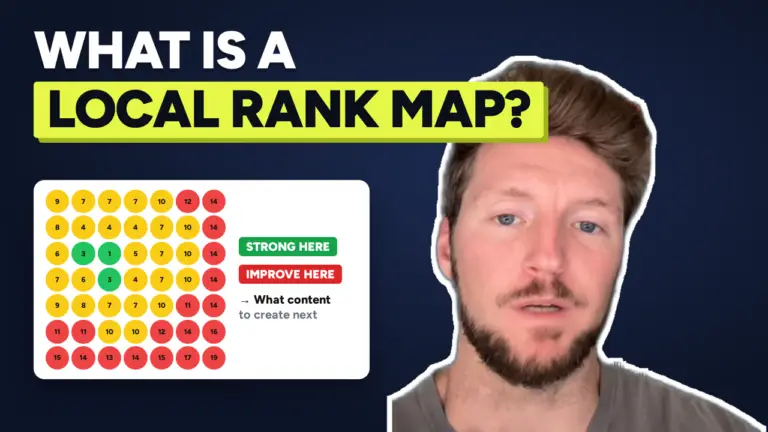
A local rank map checks where your business ranks for a specific search at many points across your service area, all at once. Each point on the map shows your position for someone searching from that spot.
Instead of one number from your office, you get a picture of your visibility across the area you actually serve:
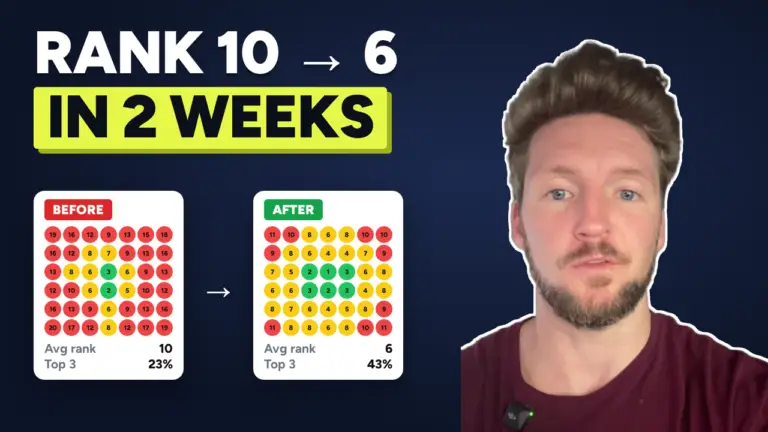
- Green areas are where you’re in or near the top three
- Yellow and orange areas are where you show up, but lower on the list
- Red areas are where you’re barely visible or not showing up at all
One business I scanned recently was ranking number two right around its office. A couple of miles out, it disappeared from the results.
That’s a very common pattern. It tells us the business isn’t giving Google enough reason to show it to people farther away, so it only shows up for people close to its address.
I wrote about an extreme version of this in 25 Years in Business, 4.8 Stars, and You Have to Be Standing in Their Office to Find Them on Google.
How I Use Rank Maps With Clients
A rank map shows three things clearly.
Where your visibility is strong
These are the areas to protect. Usually it’s the area closest to your business, but not always.
Where it drops off
This is where you’re losing customers to competitors. The point where green turns red shows how far your visibility reaches right now.
What we need to improve
The pattern on the map usually points to the cause. If you’re weak everywhere, the Google Business Profile often needs work. If you’re strong for your main service but weak for others, those services usually need their own pages on your website. If you’re weak in specific areas, we look at whether your website and profile show that you actually work there.
From there, we improve your Google Business Profile and your website, then run the same scans again to see whether the green area grows.
Can You Ever Rank Everywhere?
Not usually, and anyone who promises you’ll rank number one across your entire service area is overselling.
Distance is a real factor, and you can’t change where your business is located. Most businesses will always rank a little better close to home.
What you can do is make your business more relevant and more prominent, so you show up farther out from your location. For a lot of businesses, that’s the difference between showing up for a few blocks and showing up across most of their city.
A Free Way to Get a Rough Idea
If you want a quick idea of where you stand before running a full rank map, try searching your primary category plus your city, or ask a friend or customer in another part of town to search and send you a screenshot.
I walked through a simple version of this in How to Check How You’re Ranking on Google for Free.
It won’t give you the full picture a rank map does, but it will show you quickly whether your ranking changes as you move away from your office.
Want to See Exactly Where You Rank?
If you want to see exactly where your business ranks across your service area, I’ll run a local rank scan for your business for free.
You’ll get up to three rank heatmaps and a personal video walkthrough showing where your visibility is strong, where it drops off, and what I’d improve first.