



Ranking in the top three on Google Maps isn’t luck and it isn’t magic. It’s a sequence. Do the right things in the right order and the rankings follow. Here’s the exact process I run for clients, including the fence contractor we took to top three using this same playbook.
Step 1: Fully Optimize the Google Business Profile
Everything starts here. Before touching anything else, the GBP needs to be complete from top to bottom. Category, description, services, products, photos, posts, Q&A, hours, attributes. Every field.
An incomplete profile is a weak foundation. Everything you build on top of it — citations, reviews, content — amplifies whatever signals the profile is already sending. If those signals are thin, amplifying them doesn’t help much.
Get the profile fully built out before moving to the next step.
Step 2: Build Local Citations
Once the GBP is solid, set up citations. A citation is any mention of your business name, address, and phone number across the web. Directories, industry sites, local listings. Each one tells Google your business is real and located where it claims to be.
The tool I use for this is LeadSnap. It pulls your NAP directly from your GBP so everything stays consistent, then pushes out to around 50 citation sources through an API. No manual entry across 50 different sites. The consistency matters as much as the volume, so having one source of truth feeding all of them is worth it.
Step 3: Generate Reviews Systematically
With citations in place, turn attention to reviews. Go back through your past customer list and reactivate it. Most businesses have a long history of satisfied customers who were never asked to leave a review. That’s a ready-made review base sitting idle.
For current customers, set up a system or automation so every new customer gets a review request at the right moment after service. This doesn’t need to be complicated. A simple follow-up text or email with a direct link to your GBP review page is enough.
Review volume and recency are both ranking factors. Consistent incoming reviews beat a large old batch every time.
Step 4: Check the Heat Map Before Going Further
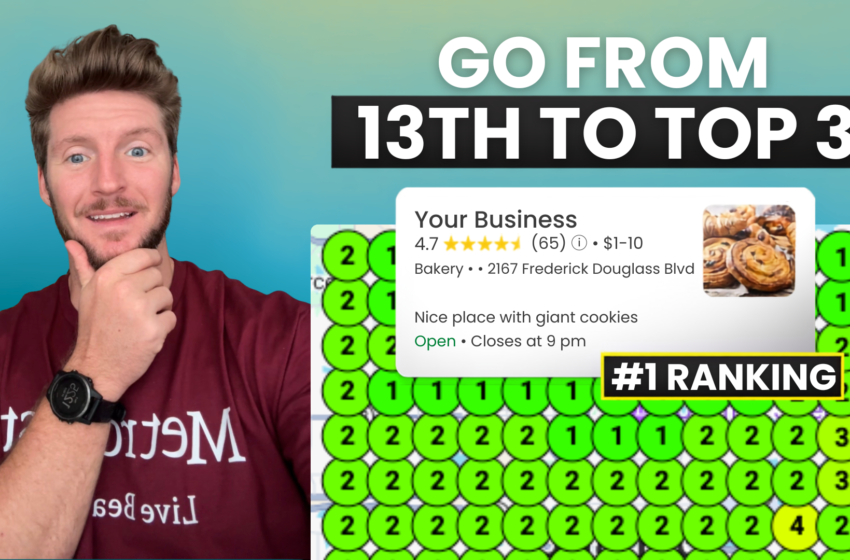
After citations and reviews are running, wait about a week and pull the geo grid again. Check where you’re at. Some businesses move into the top three from citations and reviews alone, depending on how competitive the market is.
If you’re already in the top three, you’re done for now. If you need more, you move to the next phase.
Step 5: Create a Page for Every Service
Go into your GBP and look at every service listed under each category. Every single one of those services should have a corresponding page on your website.
Not a section on a services page. A dedicated URL. Structured like: service plus city. For example: “divorce counseling Winter Garden” or “fence installation Apopka.” The page targets that specific search term for that specific location.
After building each page, submit it to Google Search Console for indexing. A page that isn’t indexed doesn’t exist to Google. Don’t skip this step.
Step 6: Create a Page for Every Service Area
Google allows you to list up to 20 service area cities on your GBP. Create a page for each one, built around your primary category and that city.
These are not thin pages. Each one should be 1,500 words minimum. Substantive, relevant content about the service in that specific location. Google has seen enough AI-generated 400-word location pages to know what thin content looks like. Build pages that actually say something.
Step 7: Post Weekly and Add Geotagged Photos
Once the content is built, maintain momentum with weekly GBP posts. Consistent posting keeps the profile active and signals to Google that the business is operating regularly.
Photos taken on a smartphone are automatically geotagged with the location where the photo was taken. Posting those photos to your GBP adds a geographic signal that reinforces your service area. Take photos at job sites and post them directly.
The Full Sequence
Optimize GBP completely. Build citations. Generate reviews. Check the heat map. Build service pages. Build location pages. Submit each to Search Console. Post weekly. Add geotagged photos.
In competitive markets this process takes time. In lower-competition markets you may be in the top three before you finish the content phase. Either way, the sequence is the same and the results are consistent.
If you’re in the Orlando or Central Florida area and want us to run this process for your business, reach out to DropShadow Agency. We also offer free audits if you want to see where you stand before committing to anything.
DropShadow Agency is a marketing agency based in Orlando, FL helping local businesses get found online.